OKTee OS Finance | SOA
Recover every euro you're owed. Without managing every case.
OKTee Finance SOA automatically creates commercial operation cases, orchestrates approvals and reminders, and tracks each amount through recovery.
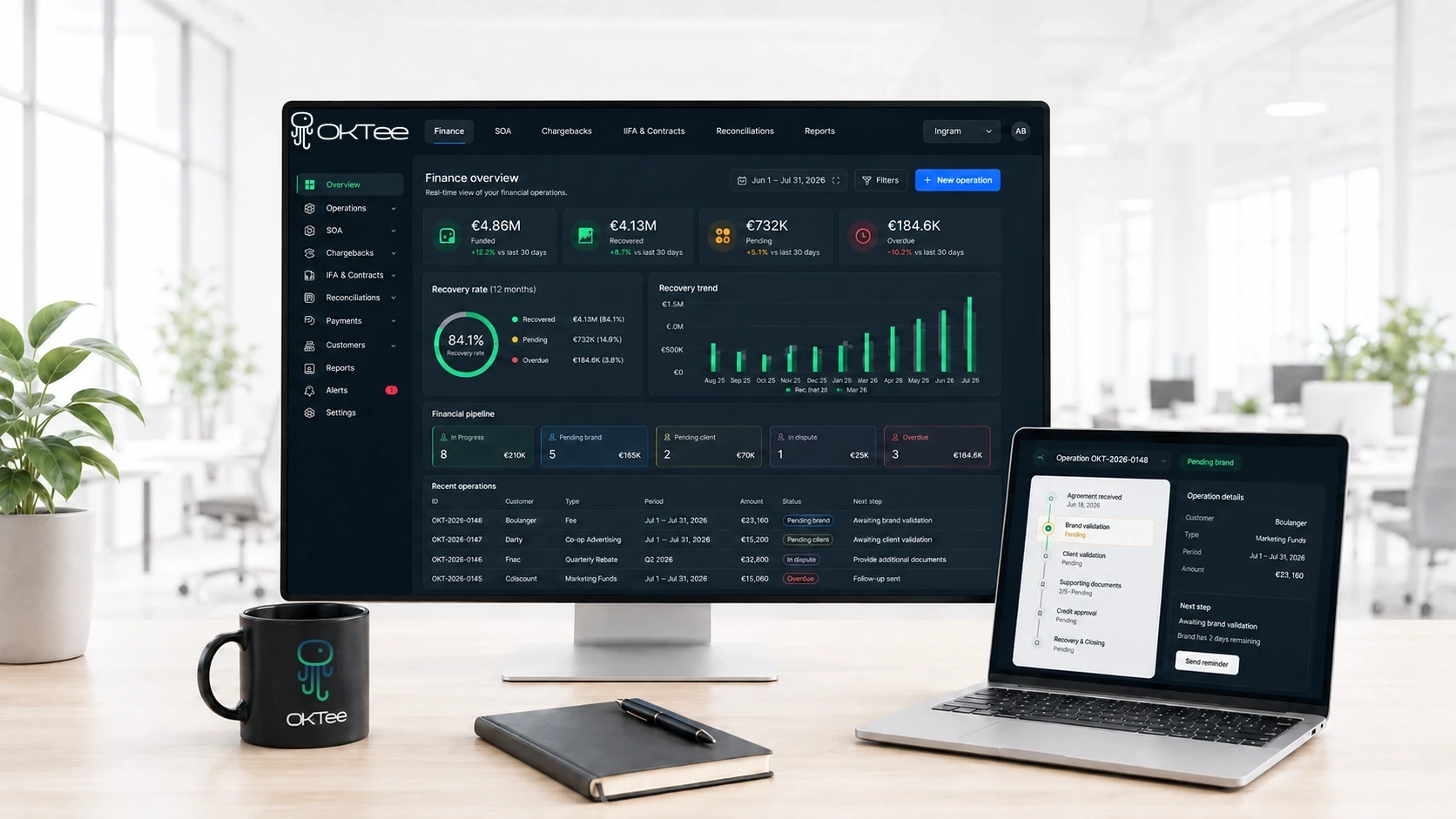


How OKTee SOA works
An AI agent at the centre.
It moves operations forward. Your teams stay in control.
The AI Agent drives every case forward, looping in your team only when validation is required.
01 · CREATE
The operation is created automatically.
Forward the email or upload the file. OKTee extracts the agreed terms and creates a complete record, ready for review.



02 · APPROVE
Agreements are approved by the right stakeholders.
The distributor reviews the pre-filled operation, the brand confirms its commitment and the retailer approves the terms that apply to them. Every response is timestamped and stored in the operation record.



05 · FOLLOW UP
The AI agent follows through to closure.
If a credit note, payment or deduction is still outstanding, OKTee automatically follows up until the operation is fully reconciled and closed.

FROM EMAIL TO DRAFT
From email to a
structured trade operation.
Whether from emails, attachments, files, or API feeds, OKTee converts raw inputs into structured transactions, complete with all the data and documentation needed for tracking.
✓
Time saved: pre-filled operation
✓
Fewer errors: data checked automatically
✓
No manual re-entry: APIs, emails and attachments analysed
✓
Traceable sources: every piece of information linked to its source
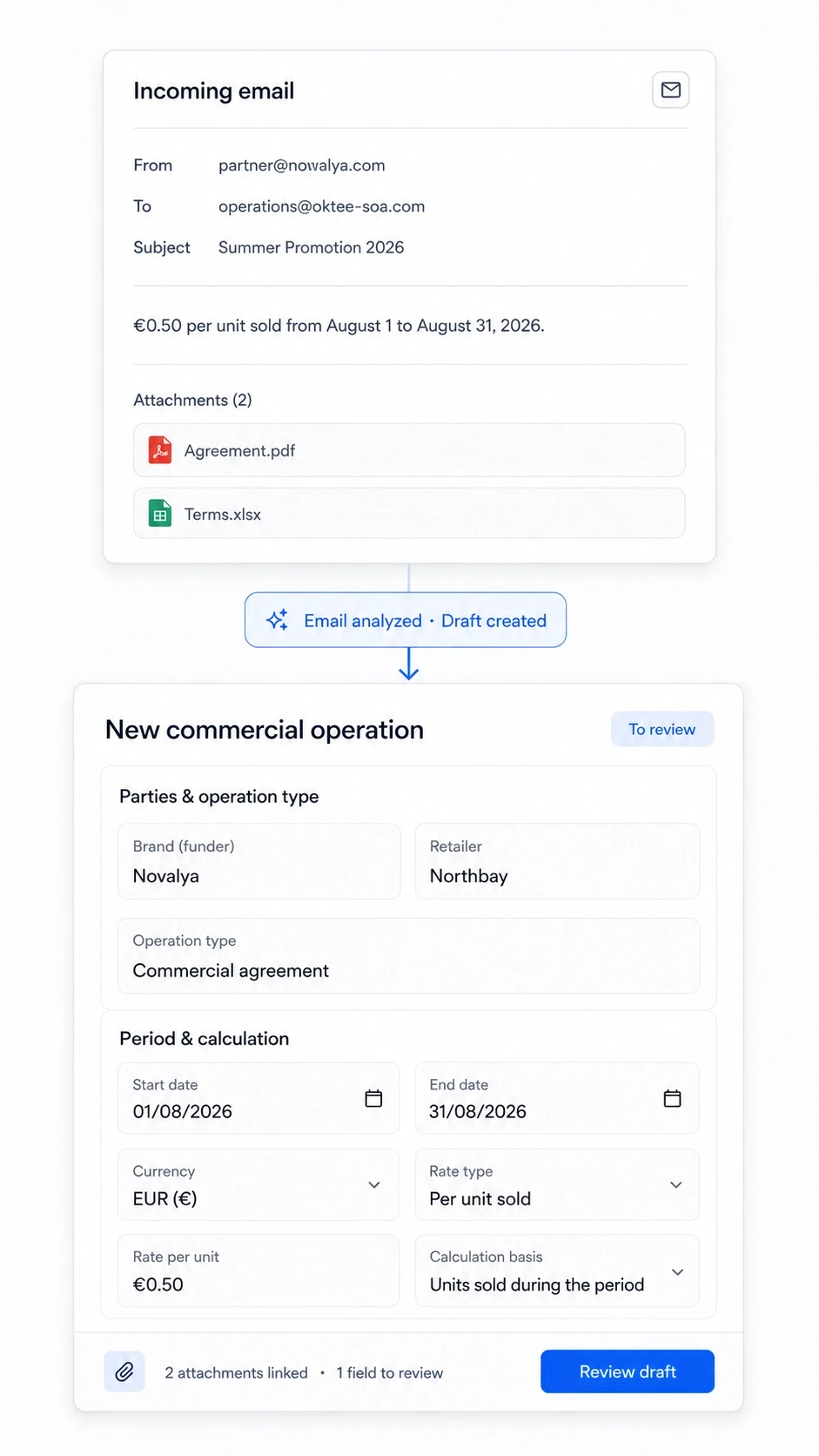
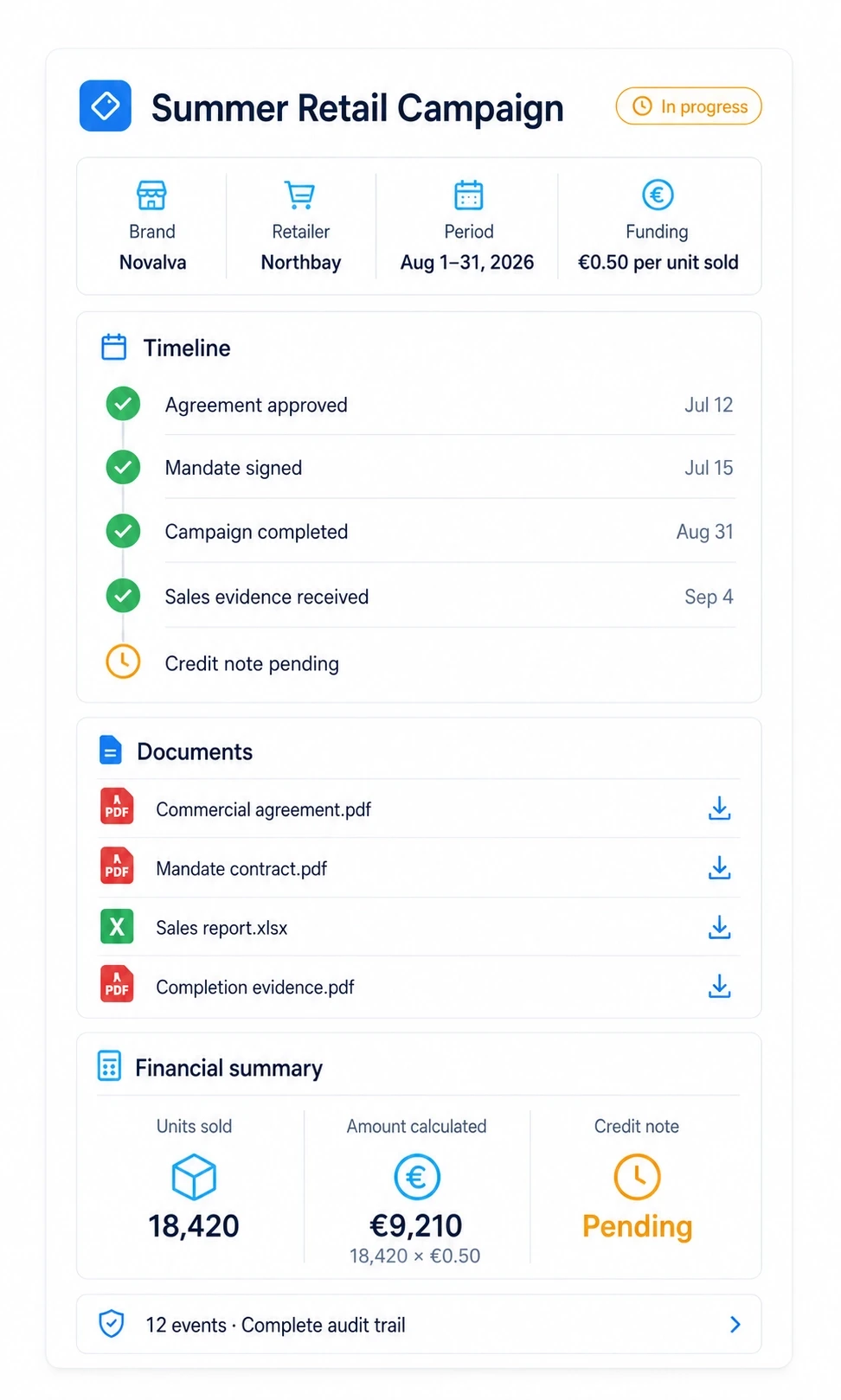

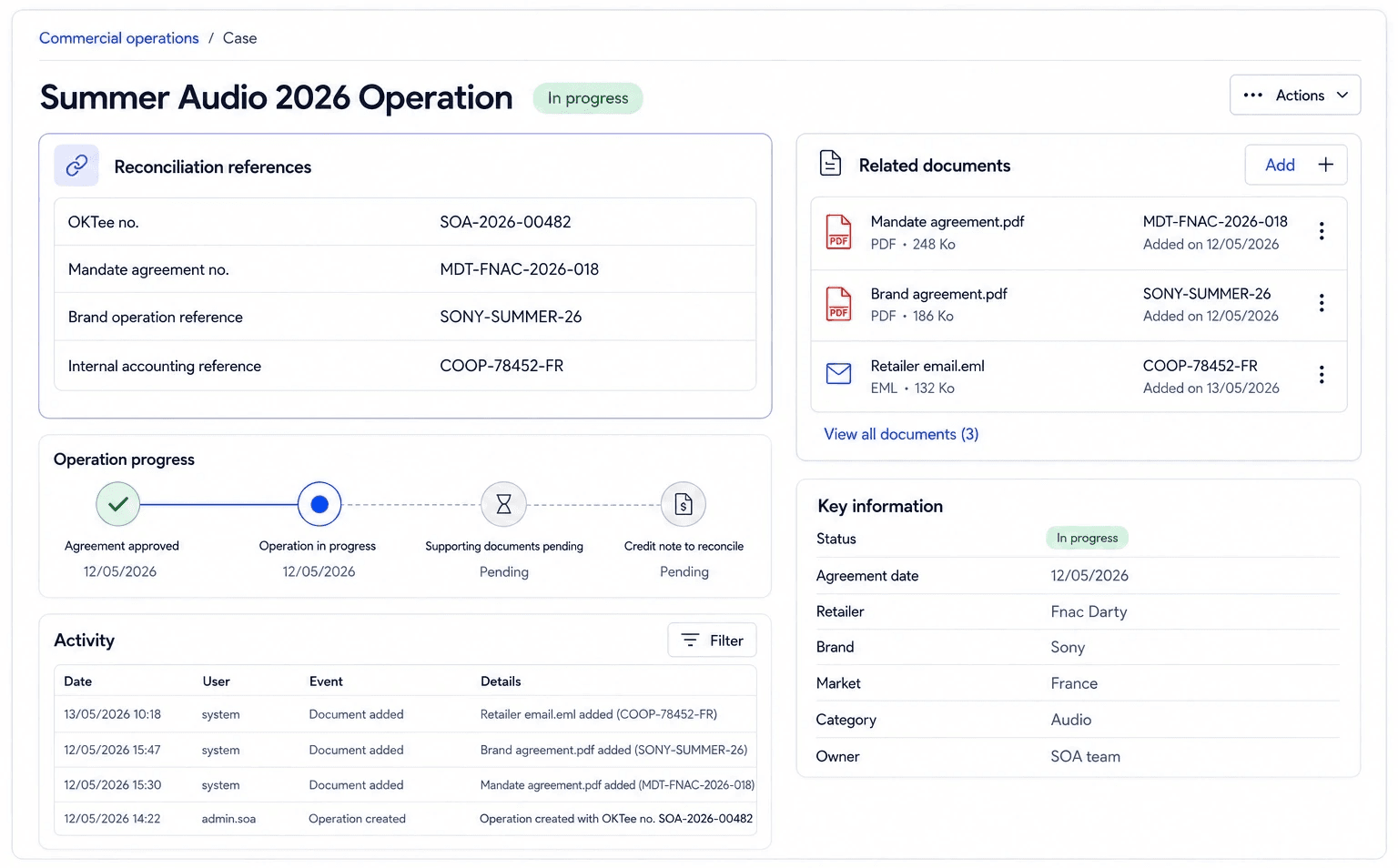
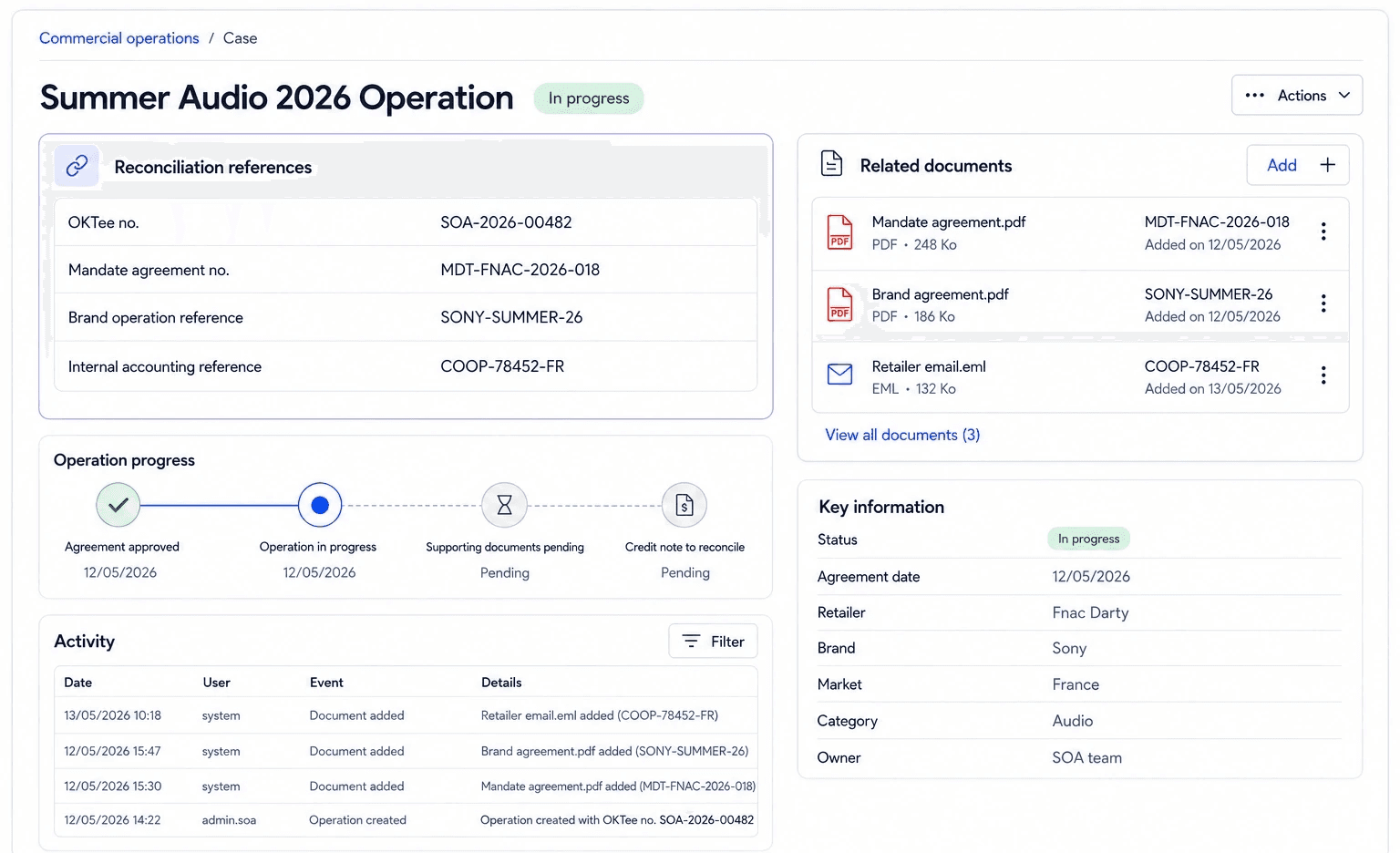
Every document retains the reference data required for transaction reconciliation and ledger integration.
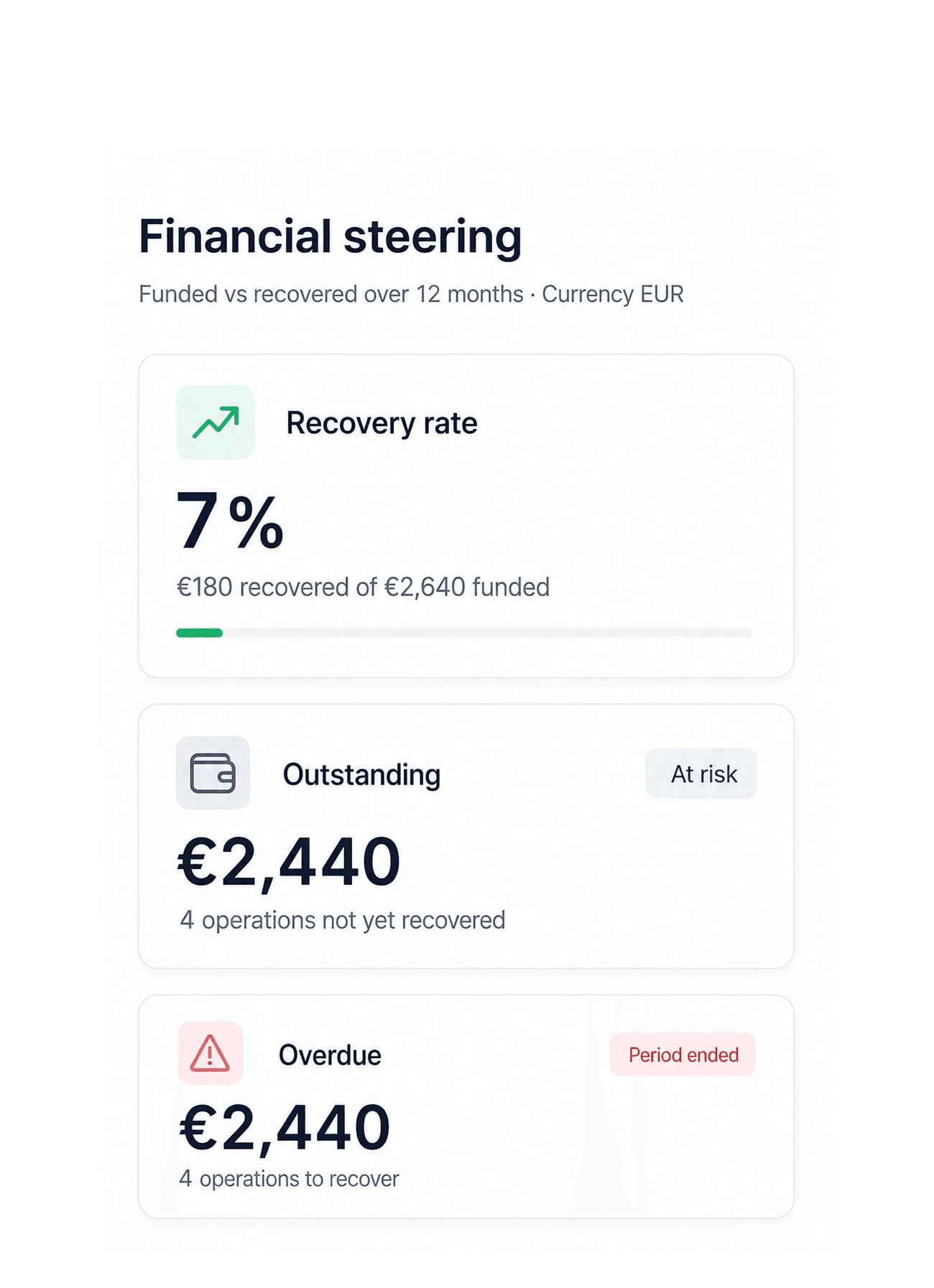
Take action easily. Manage everything from a dedicated dashboard.
Before OKTee
Fragmented tracking that is difficult to evidence.
Agreements lost in emails
Manual Excel tracking
Unclear responsibilities
Missing documents
Forgotten follow-ups
Unmatched credit notes
Incomplete audit trail
Invoices, credit notes and payments difficult to reconcile.
With OKTee
One centralised record, tracked through to financial closure.
Automated records
Clear ownership
Timestamped approvals
Automated follow-ups
Centralised documents
Reconciled credit notes
Complete audit trail
Retailers
Centralize operations for
all your retailers in a single workflow.
Ditch the spreadsheets. Track approvals, validations, follow-ups, and payments all in one unified platform.









WITHOUT ERP INTEGRATION
The operational workflow is already automated.
OKTee creates and tracks trade operations, centralises approvals, collects supporting documents, calculates amounts and manages follow-ups.
Accounting entries and payment confirmations remain managed by your teams.
WITH ERP INTEGRATION
Financial tracking is automatically synchronised.
OKTee synchronises available invoices, credit notes, deductions, payments and accounting statuses. Amounts are automatically checked and reconciled.
Your teams retain control over binding actions and exception management.
Octopia Finance SOA
Total transactions and refunds
are still sitting in your databases?
Centralize tracking in OKTee Finance SOA to monitor every claim through recovery.
OKTee OS
Discover more modules
of OKTee OS.
Operations, Finance, Marketing, and AI agents align on a unified data foundation to turn signals into action.




FAQ
We clarify everything.
Browse our FAQ to find the answers you need.
What is OKTee SOA?
OKTee SOA tracks trade and marketing operations from the initial agreement through to the credit note, payment or internal deduction.
What does the SOA built-in AI agent do?
It automatically creates cases, sends emails, monitors deadlines, gathers evidence, and triggers follow-ups based on your business rules.
Is an ERP integration required?
No. SOA operates independently of your ERP. Once integrated, it automatically transmits billing-ready documents and reconciles invoices, credit notes, deductions, and payments.
Are additional OKTee OS modules required?
No. OKTee SOA is available as a standalone solution. You can deploy SOA independently without subscribing to our Supply, Logistics, or Business modules, and seamlessly integrate it with OKTee OS as your business scales.
Who can manage an event?
Whether led by a wholesaler or a brand, approval workflows, funding, retailer roles, and access permissions are fully customizable to align with your organization.
What visibility do brands and retailers have?
Users only access authorized operations and data. Brands can consolidate shared multi-wholesaler operations directly within their workspace.
Does SOA support all retailers?
SOA operates independently of retail connectors. Partners can integrate seamlessly via email, file exports, or secure links.